The automatic backup app for DaVinci Resolve projects
macOS · Windows · Linux · One-time license
Turn your studio way more secure with Resolve Vault.
While you work, Resolve Vault backs up the DaVinci Resolve project you have open — plus your whole Local Disk and PostgreSQL databases — and saves every backup to your disk, Google Drive and Dropbox. Automatically.
Requires DaVinci Resolve Studio — the scripting API Resolve Vault relies on isn't available in the free version of DaVinci Resolve.
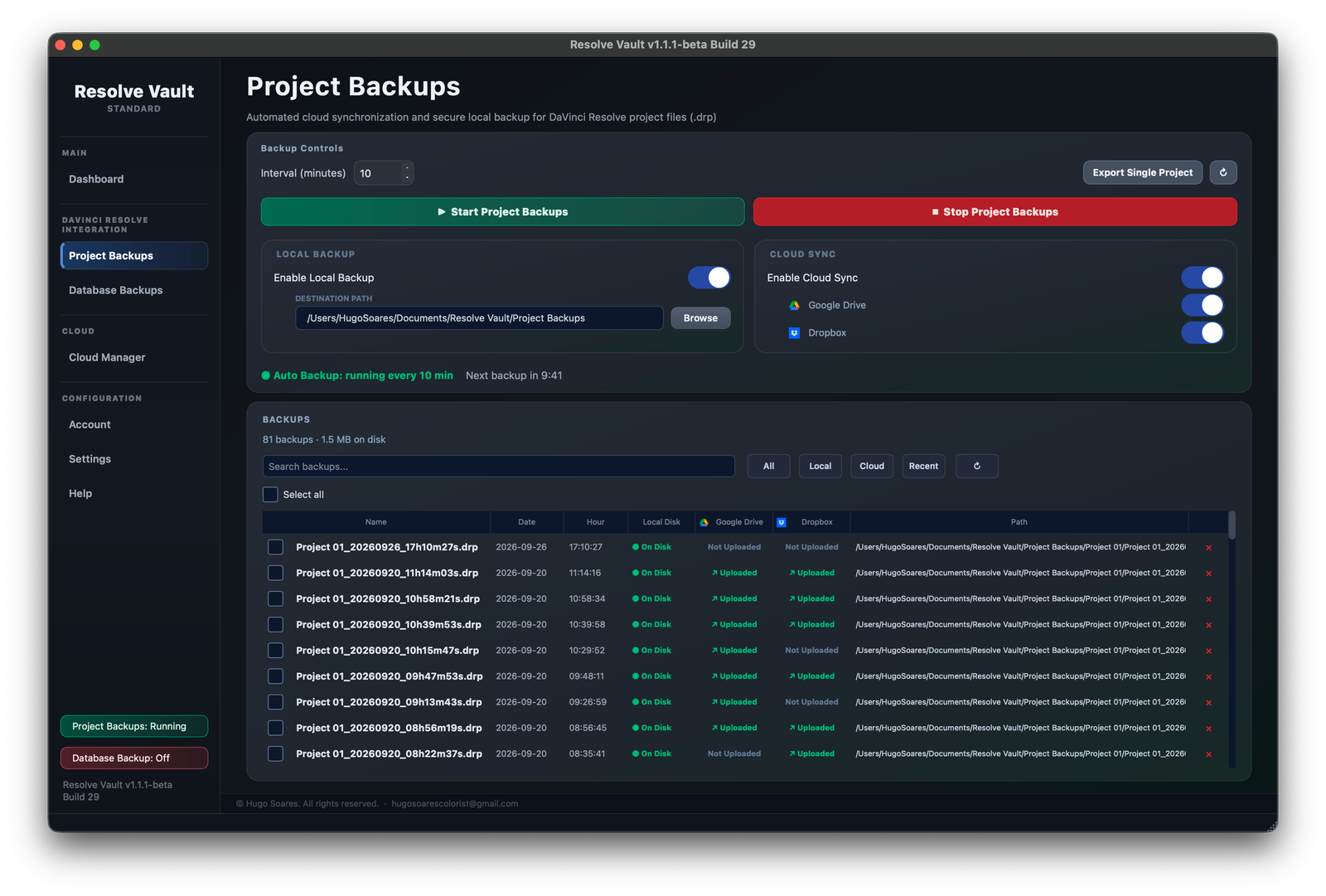
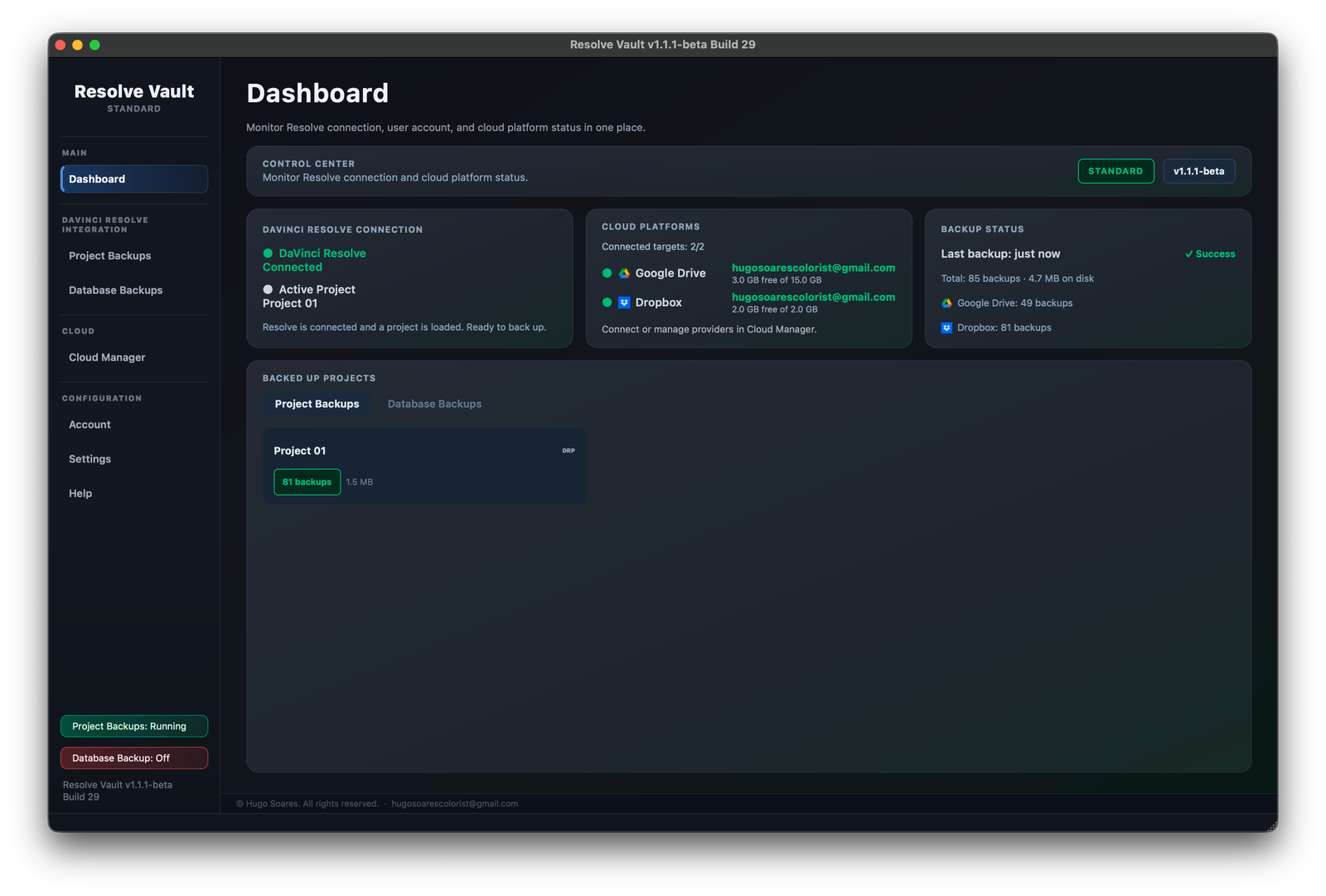
Resolve Vault backs up the project you have open in DaVinci Resolve right now. While you work, it exports that project as a .drp file every few minutes, saves it to your disk and uploads it to Google Drive and Dropbox — quietly, without interrupting you. No manual export, ever.
Backs upYour current project
The one open in Resolve while you work
→
CreatesA .drp file
Every 10 minutes, or your interval
→
Saved to
💾 Your diskGoogle DriveDropbox
Always the current projectResolve Vault follows whatever project is open. Open another one and it's backed up right away.
Every few minutesPick any interval from 1 minute to once a day. A countdown shows when the next backup runs.
Every backup, trackedSearch the history and see at a glance what is on disk, in Google Drive and in Dropbox.
Local Disk Databases
Auto DaVinci Resolve Local Database Backups
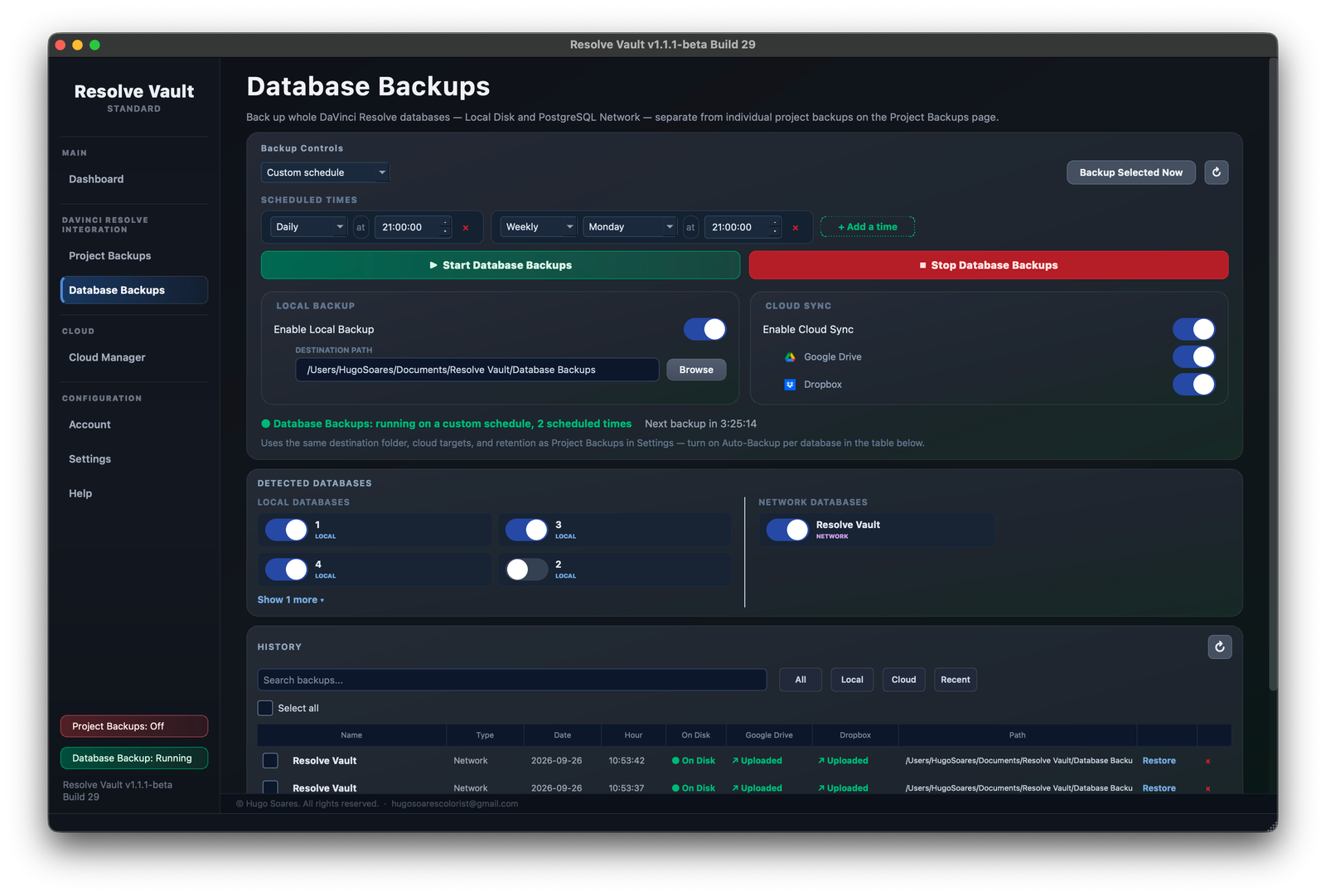
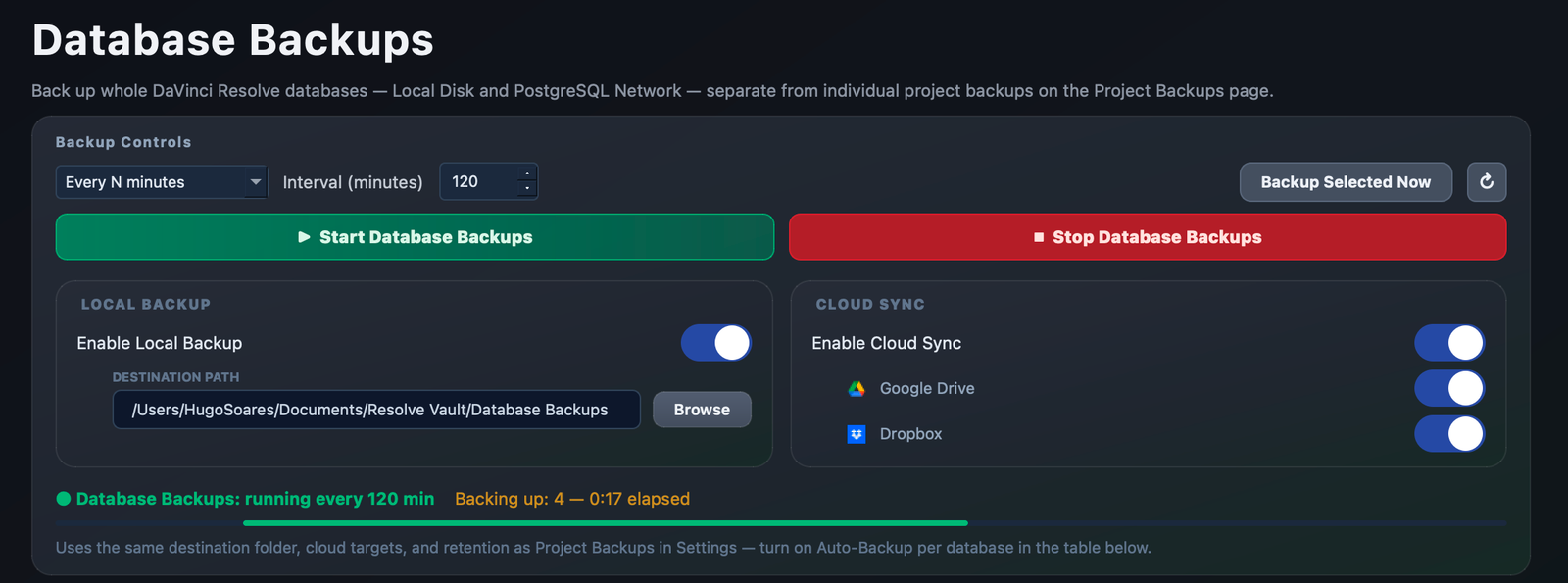
A Resolve database holds all of your projects, not just the one that's open. On the schedule you choose, Resolve Vault backs up the whole Local Disk database — every project, bin, grade and timeline in it — into one archive, saves it to your disk and uploads it to Google Drive and Dropbox.
Backs upYour whole Local Disk database
Every project inside it
→
CreatesOne compact backup
Every N minutes, or daily, weekly…
→
Saved to
💾 Your diskGoogle DriveDropbox
Detected for youYour Resolve databases are listed automatically. Toggle on the ones to protect.
Interval or calendarBack up every N minutes, or at set times — daily, weekly, monthly or yearly.
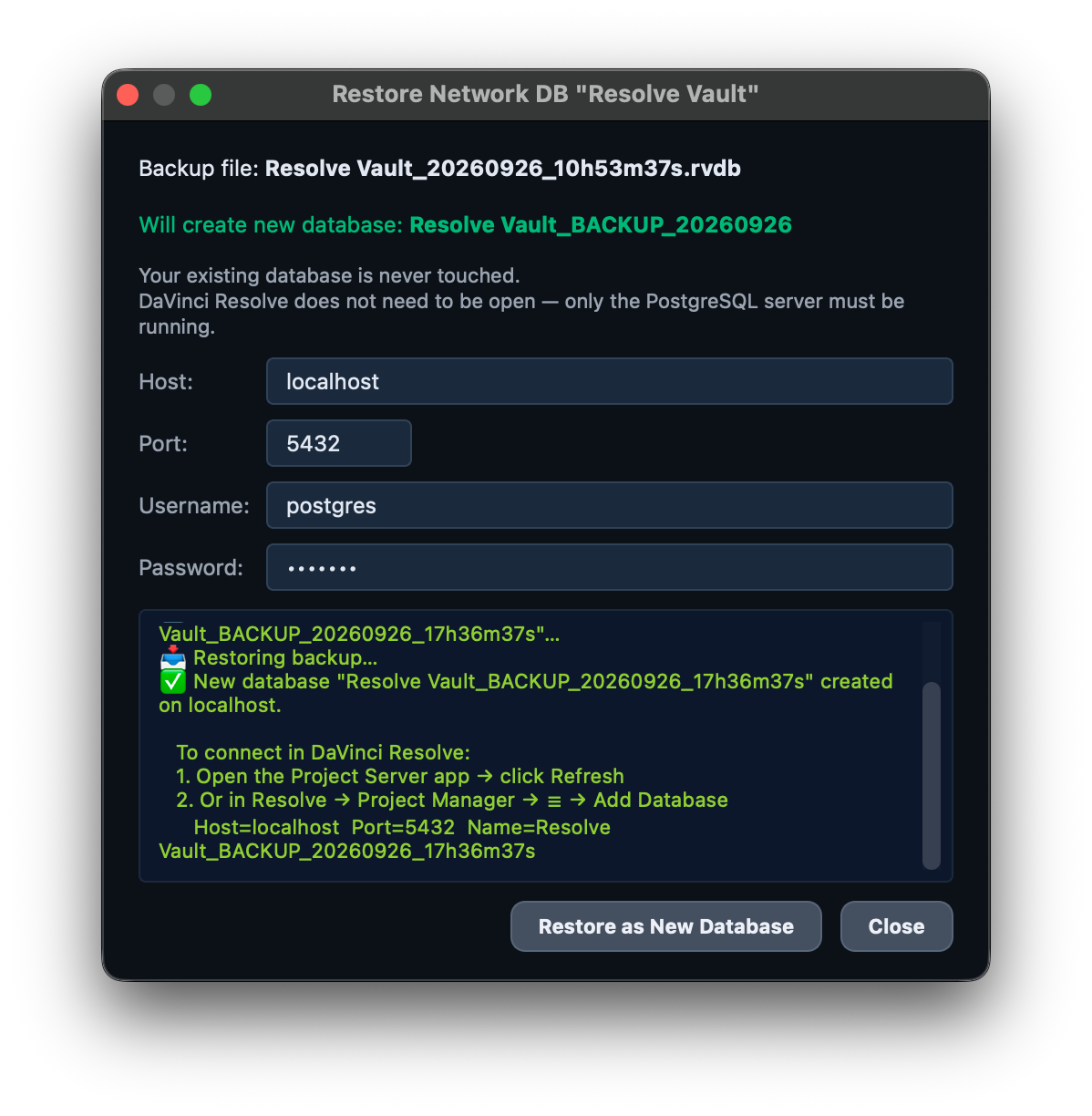
Safe restoresA restore always creates a new database. Your original is never touched.
PostgreSQL Network Databases Built for studios
Auto DaVinci Resolve PostgreSQL Backups
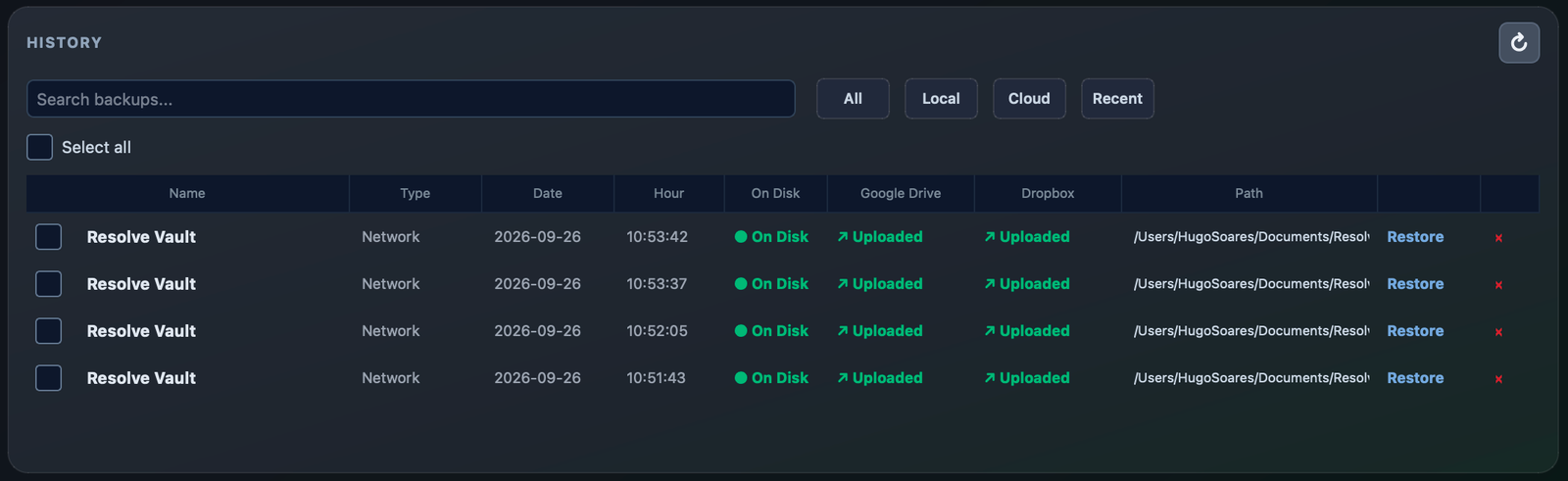
In collaborative Resolve, one corrupted network database stops everyone. On the schedule you choose, Resolve Vault connects to your PostgreSQL server and backs up the whole shared database — every project from every user — into one encrypted file, saves it to your disk and uploads it to Google Drive and Dropbox. Every colorist, editor and assistant is covered by a single backup.
Backs upYour shared PostgreSQL database
Every user's projects
→
CreatesOne encrypted backup
Every N minutes, or daily, weekly…
→
Saved to
💾 Your diskGoogle DriveDropbox
Works with your serverPlugs into your existing Project Server with the tools already included in DaVinci Resolve Studio. Nothing extra to install.
Encrypted and off-siteEvery backup is encrypted, then kept on your disk and in the cloud — so a copy survives even if the server fails.
Back online in minutesRestore any backup as a brand-new database. Your team is working again in minutes.
No silent failuresIf the server password changes, Resolve Vault asks for the new one, so your backups don't quietly stop.
Cloud Sync
Straight to Google Drive and Dropbox
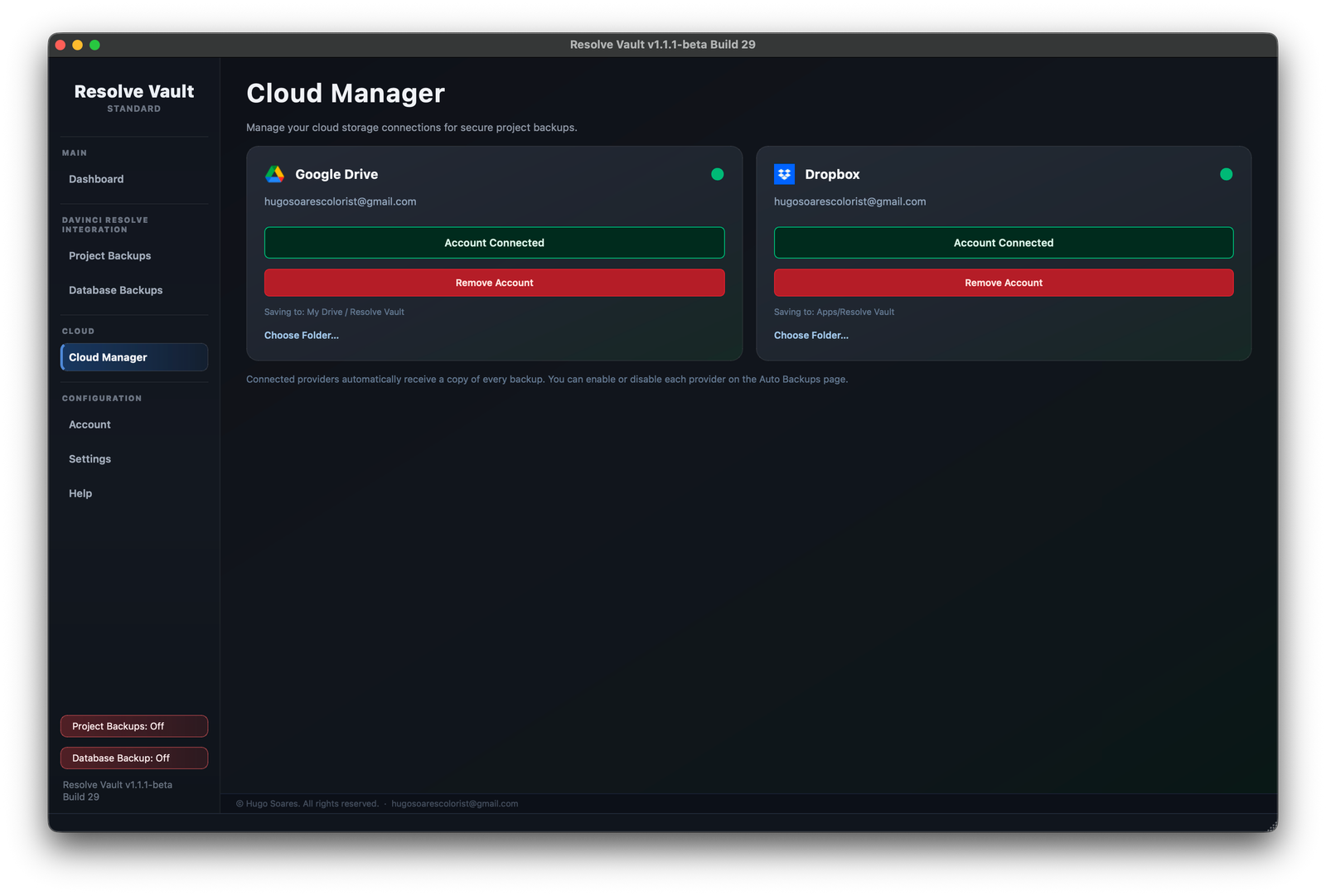
Every project and database backup uploads the moment it's created — an off-site copy with zero extra steps.
One-click connectSign in once in Cloud Manager. Pick the folder backups go to.
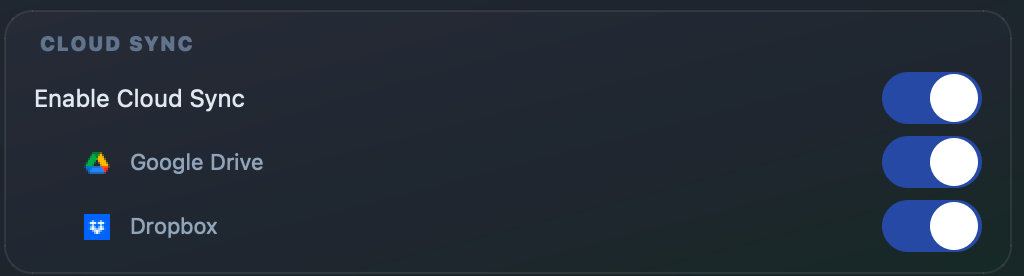
Per-provider switchesSend to Google Drive, Dropbox, or both.
Local copy keptIf an upload fails, the backup stays on disk and the app tells you why.
Runs quietly in the background
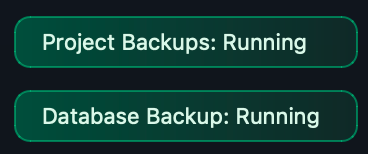
Resolve Vault lives in your menu bar or system tray and shows what it's doing — the next backup, or a warning when Resolve isn't connected.
Frequently asked questions
How do I back up DaVinci Resolve projects automatically?
Resolve Vault exports the project you have open in DaVinci Resolve as a .drp file on a schedule you choose, from every minute to once a day. Each backup is saved to your disk and can be uploaded to Google Drive and Dropbox. There is no manual export to remember.
Can I back up a whole DaVinci Resolve database, not just one project?
Yes. Resolve Vault backs up entire Local Disk databases, with every project, bin, grade and timeline inside them, into a single archive on a schedule. A restore always creates a new database, so your original is never touched.
How do I back up a DaVinci Resolve PostgreSQL Project Server database?
Resolve Vault connects to your PostgreSQL Project Server and backs up the whole shared database, with every user's projects, into one encrypted file on a schedule. It uses the tools already included with DaVinci Resolve Studio, so there is nothing extra to install on the server.
Can DaVinci Resolve backups go to Google Drive or Dropbox automatically?
Yes. Connect Google Drive, Dropbox or both once in Cloud Manager, and every project and database backup uploads as soon as it is created. If an upload fails, the local copy is kept and the app tells you why.
Does Resolve Vault work with the free version of DaVinci Resolve?
No. Resolve Vault requires DaVinci Resolve Studio, because Blackmagic Design only enables the scripting API it relies on in the paid Studio edition.
Which platforms does Resolve Vault run on, and how much does it cost?
macOS (Apple Silicon), Windows 10/11 and Linux (Rocky Linux, RHEL and similar). It's a one-time payment of €49.99 with no subscription, for up to 2 computers. More questions and answers.
Simple pricing
Buy once. No subscription. A license for Resolve Vault, as it is today. Any future updates are free; if the app is ever discontinued, updates and support end (Terms §8).

 Google Drive
 Dropbox